











Activation steps
1. Open any Office app. 2. Sign in or choose Activate. 3. Enter your 25-character product key. 4. Follow the prompts.
If you see error 0xC004, restart and retry.
Choosing a country sets your display currency.
1. Open any Office app. 2. Sign in or choose Activate. 3. Enter your 25-character product key. 4. Follow the prompts.
If you see error 0xC004, restart and retry.
Was this article helpful?
Thanks for your feedback! 🙌
What a Confirmation ID (CID) is, how to get your Installation ID, and how to use the SoftwareKey.AE Get CID to
Confirmation ID (CID) එකක් යනු කුමක්ද, Installation ID එක ගන්නා ආකාරය, සහ SoftwareKey.AE Get CID tool එකෙන් Mi
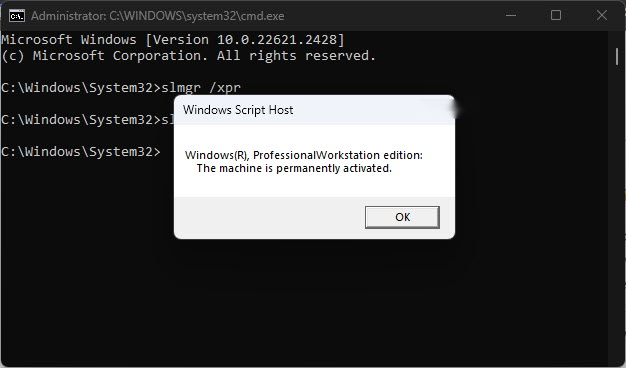
Check your activation status and activate Windows 11 with a product key or a digital license linked to your Mi
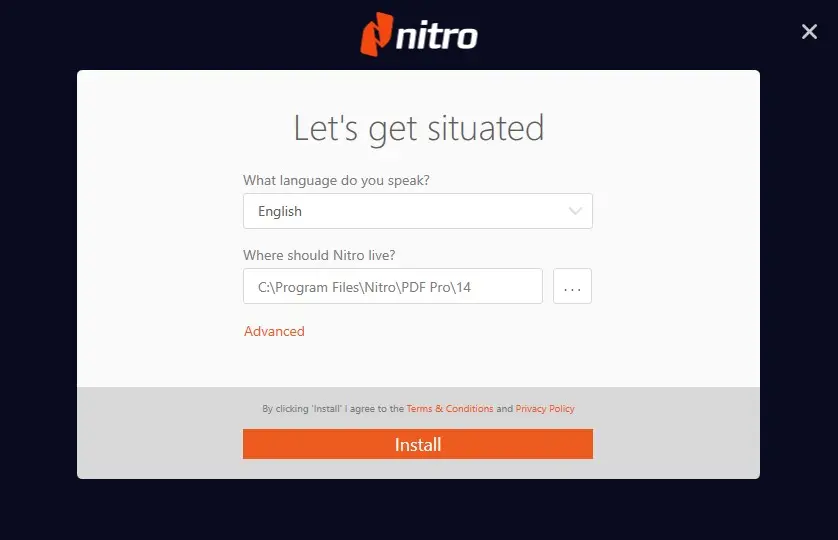
Install Nitro PDF Pro 13 or 14 on Windows and activate your lifetime licence with the manual certificate metho
Prepare your PC, download the Office 2019 Pro Plus ISO, mount and install it, and activate with your key — inc
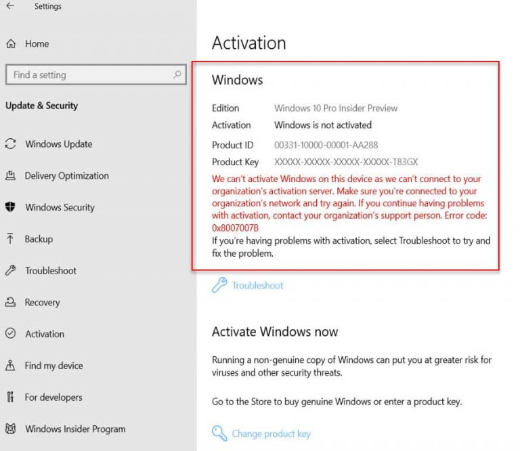
3 Ways to Check If Windows Is Activated Confirm your Windows activation status via Settings, Control Panel, an
Install Microsoft Project 2024 Professional: requirements, official installer download, one-time key activatio
Install Office 2024 LTSC the right way: Office Deployment Tool with a configuration.xml, silent install via se
What are you shopping for today?
Choose your category and
UNLOCK 10% OFF
your first order
Enter your email and we'll send your 10% off code instantly.
No spam. Unsubscribe anytime.